Can My PC Run This Game? How to Check & Upgrade Your Gaming PC in India (2026)
If you’ve ever looked at a new game and thought,
“Will my PC actually run this?”
You’re not the only one.
Games today are heavier than ever, and there’s a big difference between a game launching and a game running smoothly. In India especially, where budgets matter, making the right upgrade decision can save you a lot of money.
Let’s keep this simple and practical.
Step 1: What “Running a Game” Actually Means
There are three realistic outcomes:
- Minimum requirements → Game will run, but expect low settings, stutter and inconsistent FPS
- Recommended requirements → Smooth gameplay at medium to high settings
- Ideal setup → High or ultra settings with stable FPS
Most people should aim for recommended, not minimum.
Because technically running a game doesn’t mean it’s enjoyable.
Step 2: Check Your Current PC Specs
Before anything else, figure out what you’re working with.
You need to check:
- CPU (processor)
- GPU (graphics card)
- RAM
- Storage (SSD or HDD)
On Windows, the easiest ways:
- Press Windows + R, type dxdiag
- Or open Task Manager → Performance tab
Once you have this, compare it directly with the game’s requirements.
Step 3: Quick Compatibility Check
Here’s the simplest way to judge:
- Equal to or better than recommended → You’re good to go
- Between minimum and recommended → Playable with settings lowered
- Below minimum → You’ll struggle or won’t run it properly
Also keep in mind:
- SSDs reduce loading times and stutter in newer games
- RAM affects smoothness more than most people expect
Step 4: What Actually Affects Gaming Performance
Not every part matters equally.
GPU (most important for gaming)
- Directly affects FPS and graphics quality
- Biggest upgrade impact in most cases
CPU
- Affects frame stability and minimum FPS
- Important in CPU-heavy games like open world or multiplayer titles
RAM
- 16GB is standard in 2026
- 32GB helps in newer titles and background multitasking
Storage
- SSD is basically required now
- HDDs can cause slow loads, texture pop-in, and stutter in many modern games
Step 5: Realistic PC Levels in India (2026)
Entry-level PCs (around ₹50K range)
- Often older CPUs or integrated graphics or entry GPUs like GTX 1650
- Good for esports titles like Valorant, CS2, Fortnite
- AAA games will run on low settings at best
👉 Upgrade path: Add a dedicated GPU and switch to SSD if needed
Mid-range PCs (around ₹1 lakh)
- CPUs like Ryzen 5 7600 or Intel i5 13400F
- GPUs like RTX 4060 or RX 7600
- Can handle modern games at 1080p ultra or 1440p high
👉 Upgrade path:
- Add more RAM if you’re at 16GB and multitasking
- Upgrade GPU after a few years
High-end PCs (₹1.8–2 lakh and above)
- Ryzen 7 or Intel i7 class CPUs
- GPUs like RTX 4070 and above
- Smooth 1440p ultra and solid 4K gaming
👉 Upgrade path:
- Mostly GPU upgrades later for future titles
Step 6: Upgrade or Build New?
This depends on how old your system is.
Upgrade if:
- Your CPU is still relatively recent
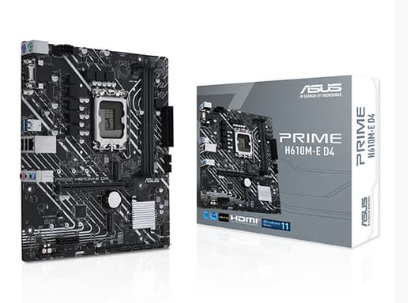
- Your motherboard supports modern upgrades
- You only need better GPU, RAM or storage
Build new if:
- You’re on an old platform (very old Intel gen or early Ryzen)
- You need to change multiple core components
- You want a system that lasts the next 3 to 5 years
Step 7: Smart Upgrade Order
If your PC isn’t performing well, this order usually gives the best results:
- SSD (if you’re still on HDD)
- RAM (upgrade to at least 16GB)
- GPU (largest performance jump for gaming)
- CPU and motherboard (if bottlenecked)
Upgrading randomly is where most people waste money.
Common Mistakes to Avoid
- Upgrading GPU while using a very weak CPU
- Staying on 8GB RAM in 2026
- Ignoring SSD upgrades
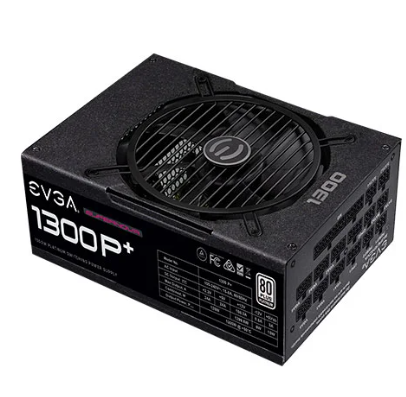
- Not checking PSU capacity before upgrading GPU
- Chasing ultra settings instead of stable performance
Final Verdict
Don’t just ask:
“Can my PC run this game?”
Ask:
“What kind of experience do I want?”
That’s what actually decides whether you should upgrade or not.
Frequently Asked Questions (FAQs)
1. How do I check if my PC can run a specific game?
Compare your CPU, GPU, RAM and storage with the game’s minimum and recommended requirements listed by the developer.
2. Is 8GB RAM enough for gaming in 2026?
No, 16GB is the practical minimum for most modern games.
3. What should I upgrade first for gaming performance?
Start with an SSD if you don’t have one, then RAM and then GPU for the biggest improvement.
4. Can I upgrade my PC instead of buying a new one?
Yes, if your CPU and platform are still modern. If multiple parts are outdated, a new build makes more sense.
5. Do I need a high-end PC to play modern games?
No, a well-balanced mid-range PC around ₹1 lakh can handle most modern games at good settings.