Building a gaming computer is thrilling. That is until you hit the wall of budgeting. At this point every component feels “equal” to you and you start questioning which purchases are going to really make a difference to you financially.
CPU? GPU? RAM?
Spoiler: They do not all get equal love.
If you are looking for maximum performance on your budget (which, let’s face it, we all are), this guide provides the information to help you know where to spend your money and where to relax a bit.
The Core Question: What Actually Impacts Gaming Performance?
Gaming performance is not evenly spread among the components (GPU, CPU, and RAM). So before we start allocating budgets, we need to keep this in mind:
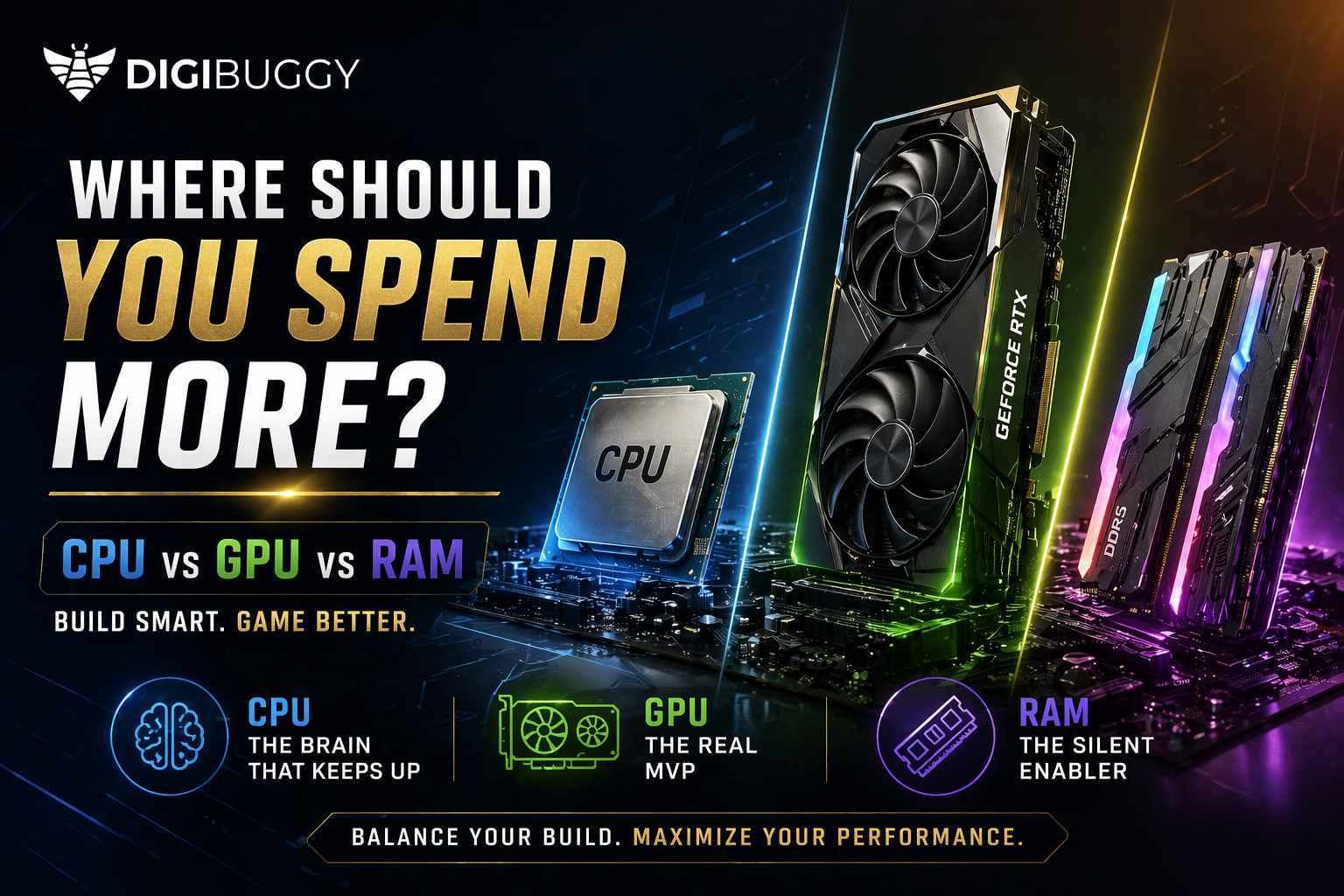
Each component has its role: The GPU (graphics processing unit) provides frame rate (FPS), while the CPU handles the game's logic, physics, and AI. And finally, RAM keeps everything running in the background.
Each component is like part of a sports team/organization where the GPU is like the 'star player,' the CPU is the 'playmaker,' and RAM are all of the 'support' people.
And just like in sports, you don't pay each of those three components the same.
GPU (Graphics Card): The Real MVP
The GPU is the first component you'd want to spend your money on if you want to achieve better FPS, smoother gameplay, and higher settings.
Why the GPU is most important
- Controls how many frames per second (FPS) you see on your screen.
- Alters textures, shadows, light, ray tracing, etc.
- Has the biggest effect on visuals.
What happens if you buy a cheap GPU?
- You will have low FPS even with an expensive CPU.
- You won’t be able to play AAA games with high settings.
- Your system will be bottlenecked no matter what else you purchase.
How to spend on your GPU
Buy a GPU according to the following:
- Resolution (1080p, 1440p, or 4K)
- Game genre (esports versus AAA)
Example mindset:
- Esports gamer = mid-tier GPU is acceptable.
- AAA gamer = has to buy a GPU.
To summarize:
- If you are confused, purchase a better GPU. You will be happy with your decision almost every time.
Check out this video for top 5 gpu picks in 2026
Top 5 GPUs in 2026 | Performance Kings Revealed!
CPU (Processor): The Brain That Keeps Up
The CPU does not directly add Frames Per Second (FPS) to your experience as the GPU does; however, if you are not using a CPU that keeps up with your GPU, it will make the system run poorly.
Functions of the CPU during gaming:
- Game Logic & Physical Calculations
- NPC Logic & Simulation of your World
- Multitasking (Discord, Streaming, Chrome Tabs)
When the CPU is most important:
- Competitive Gaming (Valorant, CS2, Fortnite)
- High Refresh Rate Gaming (144 Hz / 240 Hz)
- When Streaming/Recording Gameplay
Problems of a weak CPU:
- Stuttering/Frame Drops
- CPU Bottleneck (GPU not being fully utilized)
- Poor performance on open-world or simulation-heavy games
Smart Strategy for Spending on a CPU:
- 20-30% of your budget should be allocated to a CPU.
Don’t overspend on a CPU unless:
- You stream
- You heavily multitask.
- You want to future-proof yourself for a long time
Sweet Spot for CPUs:
- Mid-range CPUs typically provide 90% of the performance of a high-end CPU.
- Assuming you spend double, do not expect double FPS.
Overall Conclusion:
- You want a balanced CPU to ensure you do not bottleneck your GPU; however, don’t break your bank on a CPU.
Check out this video to understand more about CPUs' involvement in gaming.
Do You Really Need 16 Cores for Gaming?
RAM: The Silent Enabler
In most instances, RAM does not improve frame rate (FPS), but it does ensure your system remains stable through the game experience.
RAM impacts in-game performance more than you think.
- Game loading times
- More effective multitasking
- Increased stability during heavy gaming sessions
Some common myths about RAM include:
- Myth: More RAM equals more FPS.
- Fact: More RAM helps ensure stable performance in games that require large amounts of RAM to run smoothly.
Ideal RAM configuration for 2026:
- Minimum 16GB for gaming;
- 32GB for ideal performance while gaming, multitasking, and providing some future-proofing.
If buying high-performance RAM, consider the following speed comparison:
- Some users will see better performance in CPU-bound games with faster RAM (if they have a CPU that benefits from faster RAM).
Low RAM will have the following results:
- Choppy gameplay;
- Apps running in the background crashing.
- High-performance gaming and AAA games will not perform as well as expected.
When you budget for video game-related items, including RAM, the total amount of your budget should be no less than approximately 10%–15% of the total amount allocated for your video game budget.
To sum up, buy enough RAM and do not waste your money trying to buy more RAM than you need.
Some recommendations:
https://digibuggy.com/product/G.Skill-Ripjaws-S5-Matte-Black-16GB-6000MHz-CL36-DDR5
https://digibuggy.com/product/Crucial-Pro-OC-White-32GB-%2816GBx2%29-6000MHz-CL36-DDR5-RAM
Final Verdict
Keep this in mind if you only remember one thing:
- Allocate most of your budget to purchase a GPU.
Then:
- Choose a CPU that will keep pace with the GPU otherwise the numbers will mean little in terms of gameplay experience.
- Get enough RAM for smooth performance. Consider the 16-32GB range as acceptable.
- A gaming computer is not created by building the best of everything, but it is about building a computer with a balanced system.
Buy wisely, but not extravagantly.
Frequently Asked Questions (FAQs)
1. Should I prioritize GPU over CPU?
Absolutely, the GPU has the greatest influence on gaming performance in terms of frame rates (FPS) and visual quality.
2. Will 16GB of RAM be adequate for gaming purposes in 2026?
Yes, although 16GB will likely suffice in 2026, you will benefit by choosing 32GB for future-proofing and for better multitasking capabilities.
3. Can a weak CPU create a bottleneck for a high-performance GPU?
Yes, a weak CPU can limit the overall performance of the GPU and create stuttering.
4 . Will adding RAM improve the number of frames per second (FPS)?
No, it will have minimal effect on the FPS and will help to make your games run more smoothly.