Building a gaming computer is thrilling. That is until you hit the wall of budgeting. At this point every component feels “equal” to you and you start questioning which purchases are going to really make a difference to you financially.
CPU? GPU? RAM?
Spoiler: They do not all get equal love.
If you are looking for maximum performance on your budget (which, let’s face it, we all are), this guide provides the information to help you know where to spend your money and where to relax a bit.
Gaming performance is not evenly spread among the components (GPU, CPU, and RAM). So before we start allocating budgets, we need to keep this in mind:
Each component has its role: The GPU (graphics processing unit) provides frame rate (FPS), while the CPU handles the game's logic, physics, and AI. And finally, RAM keeps everything running in the background.
Each component is like part of a sports team/organization where the GPU is like the 'star player,' the CPU is the 'playmaker,' and RAM are all of the 'support' people.
And just like in sports, you don't pay each of those three components the same.
The GPU is the first component you'd want to spend your money on if you want to achieve better FPS, smoother gameplay, and higher settings.
Why the GPU is most important
What happens if you buy a cheap GPU?
How to spend on your GPU
Buy a GPU according to the following:
Example mindset:
To summarize:
Check out this video for top 5 gpu picks in 2026
Top 5 GPUs in 2026 | Performance Kings Revealed!
The CPU does not directly add Frames Per Second (FPS) to your experience as the GPU does; however, if you are not using a CPU that keeps up with your GPU, it will make the system run poorly.
Functions of the CPU during gaming:
When the CPU is most important:
Problems of a weak CPU:
Smart Strategy for Spending on a CPU:
Don’t overspend on a CPU unless:
Sweet Spot for CPUs:
Overall Conclusion:
Check out this video to understand more about CPUs' involvement in gaming.
Do You Really Need 16 Cores for Gaming?
In most instances, RAM does not improve frame rate (FPS), but it does ensure your system remains stable through the game experience.
RAM impacts in-game performance more than you think.
Some common myths about RAM include:
Ideal RAM configuration for 2026:
If buying high-performance RAM, consider the following speed comparison:
Low RAM will have the following results:
When you budget for video game-related items, including RAM, the total amount of your budget should be no less than approximately 10%–15% of the total amount allocated for your video game budget.
To sum up, buy enough RAM and do not waste your money trying to buy more RAM than you need.
Some recommendations:
https://digibuggy.com/product/G.Skill-Ripjaws-S5-Matte-Black-16GB-6000MHz-CL36-DDR5
https://digibuggy.com/product/Crucial-Pro-OC-White-32GB-%2816GBx2%29-6000MHz-CL36-DDR5-RAM
Keep this in mind if you only remember one thing:
Then:
Buy wisely, but not extravagantly.
1. Should I prioritize GPU over CPU?
Absolutely, the GPU has the greatest influence on gaming performance in terms of frame rates (FPS) and visual quality.
2. Will 16GB of RAM be adequate for gaming purposes in 2026?
Yes, although 16GB will likely suffice in 2026, you will benefit by choosing 32GB for future-proofing and for better multitasking capabilities.
3. Can a weak CPU create a bottleneck for a high-performance GPU?
Yes, a weak CPU can limit the overall performance of the GPU and create stuttering.
4 . Will adding RAM improve the number of frames per second (FPS)?
No, it will have minimal effect on the FPS and will help to make your games run more smoothly.
CPU N/A
GRAPHICS CARD N/A
STORAGE N/A
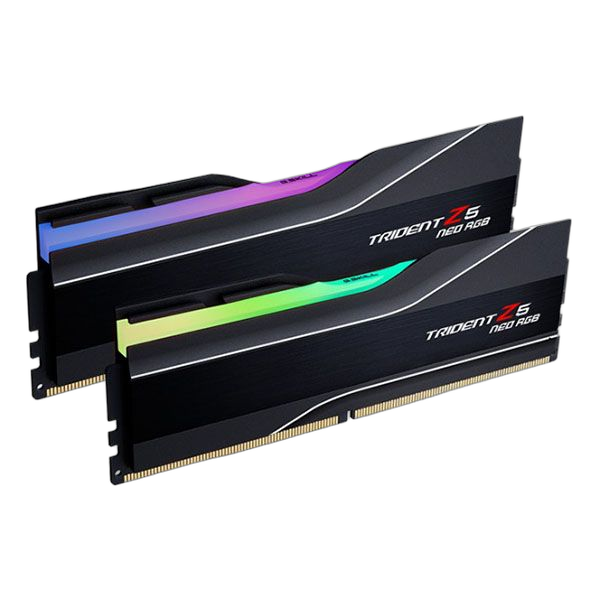
RAM G.Skill Trident Z5 Neo RG...
CPU N/A
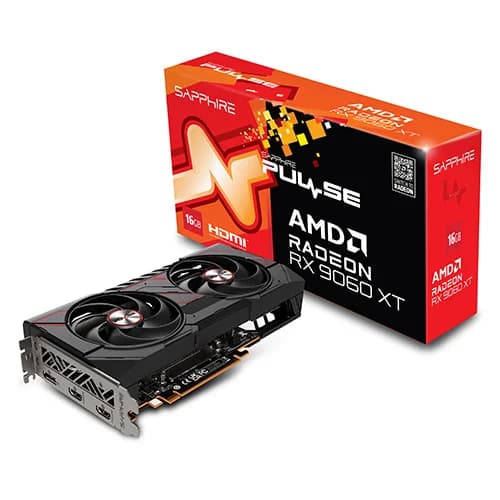
GRAPHICS CARD Sapphire Pulse RX 9060 XT...
STORAGE N/A
RAM N/A
CPU N/A
GRAPHICS CARD Zotac RTX 5090 AMP Extrem...
STORAGE N/A
RAM N/A